- Topic
- Local, AI search
- Reading time
- 9 min
- Written by
- Dima SmetaninCo-founder, SEENMETRIC
- Published
- 12 September 2026
GuidesLocal
The local basics that decide if Sydney customers find you
For a business that serves a suburb, the map pack and the local three results matter more than any national ranking. What decides them is boring, fixable, and where most Sydney businesses quietly lose ground.
On this page
If your business serves a part of Sydney, the customers you most want are the ones searching from a few streets away. What they see first is not a long list of blue links. It is a small map with a short set of results pinned to it. Two things you fully control decide whether you are in that set: a complete, active Google Business Profile, and the same business Name, Address and Phone number showing up everywhere online. Both are unglamorous. Both are where most local businesses quietly lose ground.
The short version
- Nearby customers see a small map first. Google usually shows a short box of about three businesses, picked by how close, how relevant and how well known you appear.
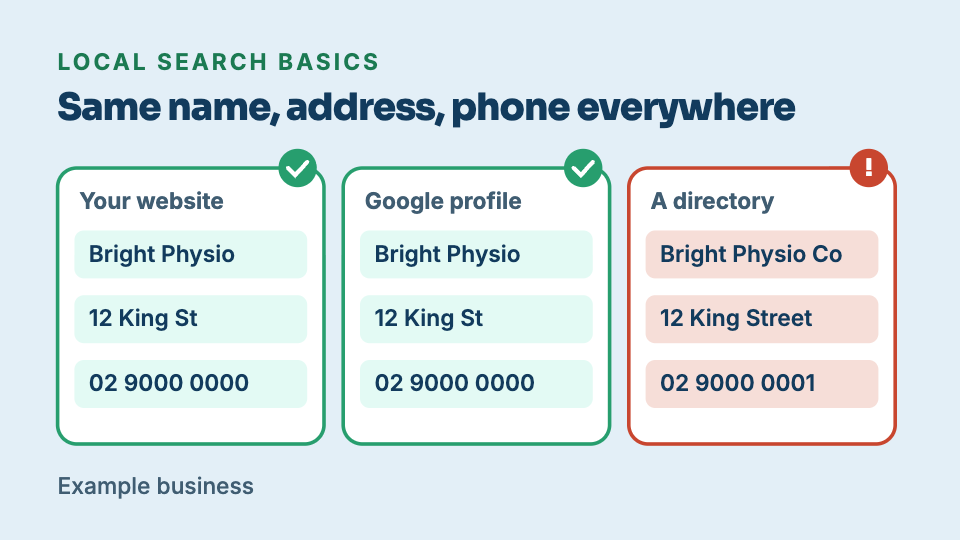
- Your Name, Address and Phone must match everywhere. Small, repeated differences like 'St' versus 'Street' or an old number can make Google unsure you are one business.
- Fill every gap in your Google Business Profile. Set the right primary category and hours including public holidays, add real photos, reply to every review, and keep it active.
- Make your website agree with your listing. Show the same Name, Address and Phone on your site, usually in the footer and on a contact page, matching your profile exactly.
- An hour this week is enough to start. List every place your business appears, write down the exact details each shows, note every mismatch, then fix your Google Business Profile first.
Want to know where your business stands? Our Standard Audit reads up to 40 pages of your site, checks up to 300 Google searches you already show up for, sets you against up to three local competitors, and shows what ChatGPT says when customers ask up to 5 questions. A$149 one-off, delivered in two business days, no access to your site needed.
Get my Standard AuditLocal search is a different game
When someone types “physio near me” or “coffee Surry Hills” into their phone, Google does not just rank the whole web and hand back the best pages. It works out where the person is standing and looks for businesses that can serve that spot, then shows a map with a handful of pins and a short results box beneath it. People often call that box the local pack or the local three, because it usually holds about three businesses. For a suburb business, landing in that box matters more than any national ranking, because it is the first thing a nearby customer sees and often the only thing they act on.
In plain terms, Google is weighing three things when it fills that box. How close you are to the person searching. How relevant you are to what they asked. And how well known and trusted you appear to be, judged from your profile, your reviews and the mentions of your business across the web. You cannot move your shopfront, so proximity is largely fixed. Relevance and being well known are the parts you can shape, and they are exactly what a complete, consistent profile speaks to.
NAP: the boring signal that quietly moves the needle
NAP is shorthand for your business Name, Address and Phone number. It sounds too simple to matter, and that is precisely why it gets neglected. Google and other systems do not know your business the way a regular would. They recognise it by matching details that repeat, the exact spelling of your name, the exact street address, the exact phone number, across your website, your Google Business Profile, and every listing and directory that mentions you. When those details line up everywhere, the picture is clear: this is one business, and here is where it is and how to reach it.
A machine cannot use judgement to paper over a difference. When the same shop appears as “Bondi Bikes” on the website and “Bondi Bike Co” on an old listing, at “Level 1” in one place and with no unit number in another, on a mobile here and a landline there, a person would shrug and assume it is the same place. A system cannot be sure. It may treat those as possibly different businesses, and that uncertainty waters down the trust that would otherwise all point at one strong profile. The differences do not have to be dramatic to cause it. Small, repeated mismatches are enough.
Where your details drift
Almost no one sets out to publish inconsistent details. They drift over time, quietly, in ways that feel harmless one at a time. A few common ones:
- An old address or phone that never got updated. You moved from Chatswood to North Sydney, or swapped a mobile for a landline, but a listing from three years ago still carries the old one.
- “Street” versus “St”. One place writes it out in full, another shortens it, another adds a full stop. To a person these are the same. To a matcher they are three strings.
- A missing suite or unit number. Your Newtown studio is at “Suite 3, 88 Enmore Road” on your booking page but just “88 Enmore Road” elsewhere.
- Different numbers in different places. A mobile on the website, the old landline on a directory, and a call-tracking number on a third site.
- A rebrand nobody finished. You renamed the business, updated the website and the profile, and left a dozen older listings under the old name.
None of these is a disaster on its own. The trouble is that they accumulate, and each one adds a little doubt to the picture Google is trying to assemble.
Your Google Business Profile, as a checklist
Your Google Business Profile is the free listing that feeds the map and the local results. It is the single most valuable thing you control, and a half-filled one is a common reason a business sits just outside the local results. Work through this list and fill every gap:
- Set the correct primary category. Choose the one that matches what you actually do, for example “Physiotherapist” rather than a vague “Health”. The primary category carries the most weight for what you show up for.
- Get your hours right, including public holidays. Set special hours for days like Australia Day or a long weekend. Nothing costs trust faster than a customer arriving at a closed door your profile said was open.
- Choose an address or service areas, correctly. If customers come to you, show the exact address. If you travel to them, set the suburbs you cover as service areas and hide the street address if it is a home base.
- Add real photos. Your actual shopfront, your team, your work. Real, current photos help a searcher recognise you and give the profile signs of life.
- Reply to reviews, all of them. A short, genuine reply to the good and the difficult ones shows the business is active and cared for, and reviews are part of how well known you appear.
- Keep it active. Post the occasional update, answer questions, keep details current. A profile that has not been touched in a year reads as neglected.
A Sydney example
Picture someone standing on King Street in Newtown with a sore back, typing “physio near me” into their phone. Two suburbs over in Marrickville there is a larger, better-known clinic with a longer history. You might expect the bigger name to win. Often it does not, for this search.
The reason is that the person is in Newtown, not Marrickville. A small Newtown practice with the exact same Name, Address and Phone number on its website and its Google Business Profile, the right primary category, accurate hours, real photos and a steady trickle of recent reviews it actually replies to, gives Google a clean, close, complete match for that spot. The better-known clinic is further away and, if its profile is thinner or its details are inconsistent across the web, less certain. Being well known helps, but it does not override a customer who is standing outside your door. A complete, consistent profile is how the nearby business earns that search.
For a customer searching from your suburb, a complete and consistent profile close by often beats a bigger name two suburbs away.
Make your website agree with your listing
Your Google Business Profile does not live in isolation. Google cross-checks it against your own website, so the two need to tell the same story. That means the same business Name, Address and Phone number in the visible text of your site, usually in the footer and on a contact page, matching your profile exactly, down to the “Street” and the unit number.
There is a second copy of those details that customers never see: the business facts written into your site for Google and AI to read, sometimes called structured data. It is a small, machine-readable block that states your name, address, phone, hours and location in a format built for search engines to read. When your visible details, your structured data and your profile all agree, you remove the last of the confusion. One caution: those details only count if a machine can actually read your pages in the first place. If your site hands crawlers a blank page, covered in when your website loads for people but not for Google, then your carefully placed name, address and phone number are invisible along with everything else. Consistent facts help beyond Google too. The same clean details make it easier for AI assistants to name you correctly, which is the wider story in how Australian businesses get found in AI search.
A simple audit you can do this week
You do not need special tools to make real progress. Set aside an hour and work through this:
- Search your own business name in Google, then search the way a customer would, for example “your service + your suburb”. See what comes up.
- List every place your business appears: your Google Business Profile, Apple Maps, your own website, and any directory or listing that names you.
- For each one, write down the exact Name, Address and Phone number it shows, character for character.
- Note every mismatch: a short “St”, an old number, a missing unit, a stale name.
- Fix your Google Business Profile first, since it carries the most weight, then correct the listings you control, starting with the ones that get the most traffic.
If you would rather not do it by hand, the Foundation Audit on seenmetric.com.au compares your name, address and hours against what Google holds and flags where they disagree. For a business ready to go further, the Standard Audit (A$149) works through the local basics in detail, against your profile and your site, so you know exactly what to fix and in what order. Either way, the work is the same and it is squarely within your control: one complete profile, and the same details everywhere. Get those right and you remove the confusion that keeps nearby customers from finding you.
Keep reading
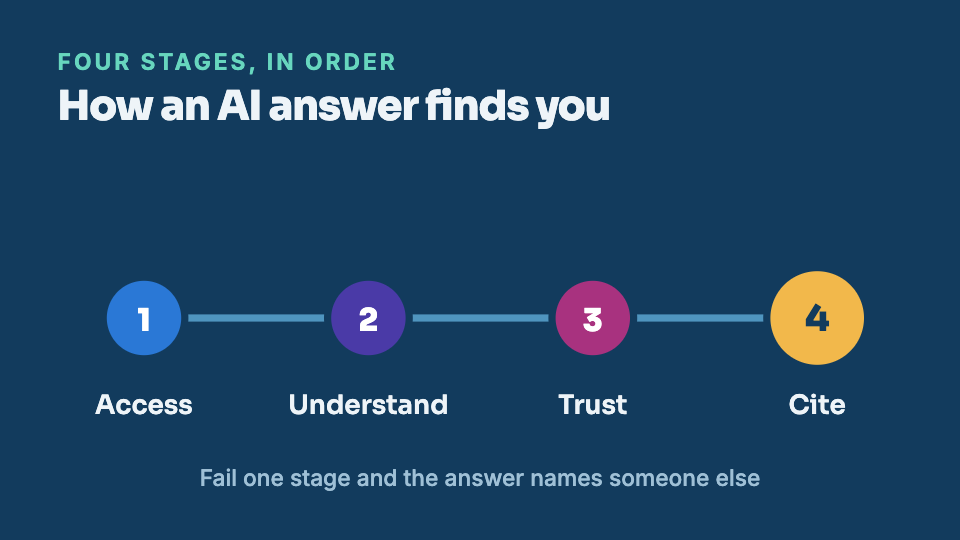
How Australian businesses get found in AI search
Search is splitting in two. Google still lists links, and a growing share of customers now get a single spoken answer from ChatGPT, Gemini or Perplexity instead. Here is what decides whether that answer names you.
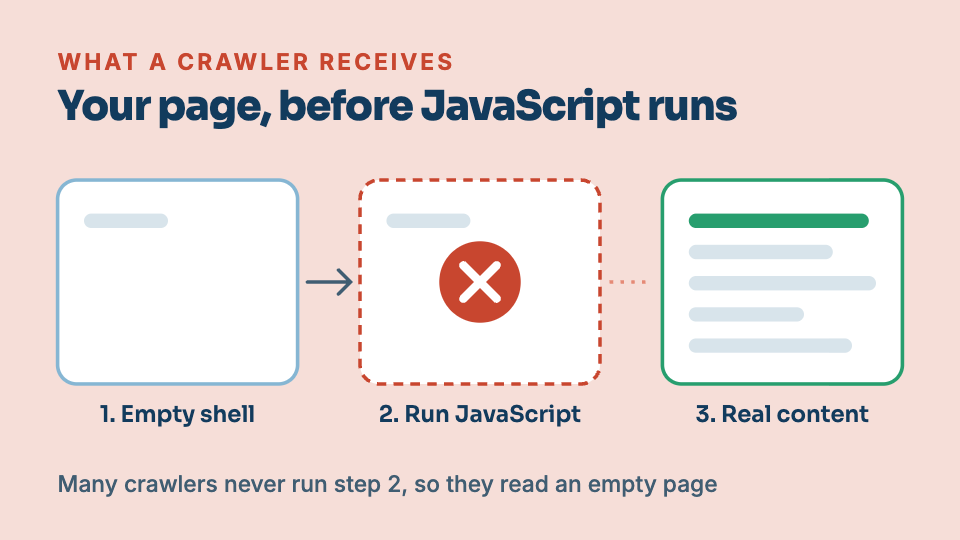
When your website loads for people but not for Google
Your homepage looks perfect when you open it. To Google and to AI assistants, the same page can arrive almost blank. This is one of the most common and most invisible reasons a site never ranks.