- Topic
- Technical, AI search
- Reading time
- 9 min
- Written by
- Dima SmetaninCo-founder, SEENMETRIC
- Published
- 5 September 2026
GuidesTechnical
When your website loads for people but not for Google
Your homepage looks perfect when you open it. To Google and to AI assistants, the same page can arrive almost blank. This is one of the most common and most invisible reasons a site never ranks.
On this page
Open your website and it looks exactly as it should: your logo, your headline, your photos, your booking button. Now imagine handing that same web address to Google or to an AI assistant and getting back an almost blank page, with none of the words a customer reads. That gap is real, it is common, and it is one of the quietest reasons a good-looking site never shows up in search or in AI answers. This guide explains why it happens and how to check your own site in a few minutes.
The short version
- Google may get a blank page where you see a full one. Many modern sites send a nearly empty first file and fill in the words a moment later in the visitor's browser.
- Crawlers do not always wait for that. Building the page costs a search engine time, so it may take the empty shell and leave, and AI assistants are often less patient than Google.
- You can check in a few minutes for free. Pick a sentence on your page, right-click and choose 'View page source', then search for that sentence with Ctrl+F (Cmd+F on a Mac).
- A page that arrives blank is absent from search. It never enters the search engine's library of pages, and AI assistants cannot quote it or name your business from it.
- The fix rarely means a rebuild. Ask your developer to serve the finished page from the server, through server-side rendering or prerendering, so people and machines get the same words.
Want to know where your business stands? Our Standard Audit reads up to 40 pages of your site, checks up to 300 Google searches you already show up for, sets you against up to three local competitors, and shows what ChatGPT says when customers ask up to 5 questions. A$149 one-off, delivered in two business days, no access to your site needed.
Get my Standard AuditThe page you see is not the page Google gets
When you visit your own site, your browser does a lot of work on your behalf. It fetches the page, runs any code that came with it, waits for images and text to fill in, and then shows you the finished result. You never see the half-built version, because your browser hides it and only reveals the page once it is ready. That is the page you judge your site by.
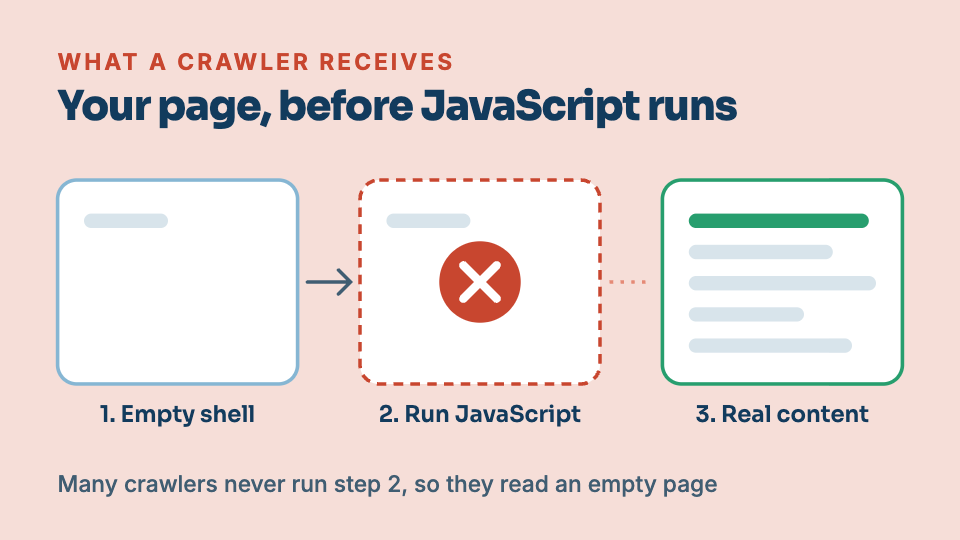
A search engine does not experience your site that way. It sends out a crawler (an automated reader that fetches pages the way a browser does), and that crawler grabs the raw file your server sends first, before any of the in-browser work has happened. On plenty of modern sites, that first raw file is nearly empty. The real content gets poured in a moment later by code running in the browser. If the crawler takes what it was handed and moves on, it never sees your headline, your service list or your reviews. As far as it is concerned, the page has almost nothing on it.
This is the surprise at the heart of it. The problem is invisible to you, because you are always looking at the finished version. You can check your site every day, share it, be proud of it, and still be handing search engines a blank page the whole time. Nothing looks broken, which is exactly why it goes unnoticed for so long.
Why this happens
To see why, it helps to know how a page reaches a browser in the first place. The old way was simple: your server sent a finished HTML file, the full text of the page already inside it, and the browser just displayed it. Whoever asked for the page, human or machine, got the same complete content in that first file.
Many modern sites, especially ones built with page builders or JavaScript frameworks, work differently. The first file the server sends is a thin shell with almost no words in it. Alongside it comes JavaScript (code that runs in the visitor's browser). The browser downloads that code, runs it, and the code then goes and fetches your actual content and builds the visible page. This process of turning code and data into the finished page is called rendering. For a person, rendering happens in a blink and everything appears.
A crawler is where it can fall apart. Rendering that JavaScript costs a search engine real time and computing power, across billions of pages, so a crawler does not always do it, and does not always wait for it to finish. It may take the empty shell, note that there is nothing much there, and leave. Some crawlers render better than others, and AI assistants are often less patient than Google. If your content only exists after the JavaScript has run, you are betting your visibility on every crawler choosing to run it and wait. That is a bet you often lose without ever knowing.
This is closely related to how quickly and reliably a page loads in general, which we cover in the no-jargon guide to Core Web Vitals. The two problems often live on the same site, and both come down to how much work you leave for the browser to do after the page arrives.
How to tell if it is happening to you, for free
You do not need any tools or technical skill to get a strong first answer. Here is the quickest check you can do yourself right now.
- Open your website and pick a full sentence you can plainly read on the page, your tagline, a line about a service, anything with a few real words in it.
- Right-click anywhere on the page and choose “View page source”. This opens the raw file your server sent, the same starting point a crawler gets, before any in-browser work.
- Press Ctrl+F (or Cmd+F on a Mac) and search that raw file for your chosen sentence.
If the sentence is there, that content is in the file a crawler receives, and for that part of the page you are in good shape. If the words are missing, and you are staring at a source file full of code but almost none of your actual text, that is the warning sign. It means your content is being assembled after the fact, and a crawler that does not run the JavaScript will never see it.
If you can read a sentence on your page but cannot find it in “View page source”, a search engine may not be able to find it either.
A couple of other checks go a step further. If you have Google Search Console set up for your site, its URL inspection tool lets you fetch a page as Google does and choose “view rendered” or view the tested HTML, which shows you what Google actually managed to build. If your content is missing there, that is close to a direct answer from Google itself. You can also try loading your page in a browser with JavaScript turned off: if the page comes up empty or broken, you are seeing roughly what a crawler that skips the JavaScript sees. Each of these looks at the same question from a different angle, and together they tell you fairly confidently whether your content survives the trip.
If you would rather not do this by hand, the Foundation Audit on seenmetric.com.au looks for exactly this. It reads your homepage the way a crawler does and flags when the content a person sees is missing from what a machine receives, which is one of the first things it tests for.
What it quietly costs you
The reason this matters so much is that everything downstream depends on it. A page whose content never reaches a crawler cannot be indexed, which means it does not enter the search engine's library of pages at all. It is not ranked poorly. It is simply absent, so no amount of good work on that page can help, because the page a search engine holds is blank.
The same blank page is what AI assistants get. If ChatGPT, Perplexity or Google's own AI answer cannot read your content, they cannot summarise it, quote it or name your business from it. This is often the hidden reason a business is missing from AI answers, which we explore in why ChatGPT recommends your competitor and not you and, more broadly, in how Australian businesses get found in AI search. A page that is blank to crawlers is invisible to every one of these at once.
There is a plain financial edge to this too. If you have paid for a new website, for pages of well-written content, for photos and case studies and service descriptions, all of that only earns its keep if a crawler can read it. When the content never arrives, you are paying to produce work that no search engine and no AI tool ever gets to see. The effort is real. The visibility it should have bought is not there.
How it gets fixed
The good news is that this is usually a fixable problem, and it rarely means rebuilding your site from scratch. The core idea of the fix is simple: instead of sending a crawler an empty shell and hoping it does the work, you serve the finished HTML with the content already inside it.
There are two common ways to do that, and your developer will know which fits your setup. One is server-side rendering, where the page is built on the server so the full content is in the file that gets sent out, the same for a person and a machine. The other is prerendering, where finished versions of your pages are prepared ahead of time and handed over ready to read. Both remove the barrier in the same way: the words a person sees are the words a crawler receives. Most page builders and frameworks have a supported way to switch this on, which is why a rebuild is usually not needed.
When you raise it with your developer, be specific and it will save everyone time. Give them the exact page address, tell them plainly which content is missing (“the crawler gets a blank page, none of the service text on our homepage is in the source”), and show them the check above so they can see the same thing. Ask whether the site can serve the finished HTML from the server for that page. Framed that way, it is a familiar request with a known answer, not a mystery.
You do not need to know how the fix is built. You only need to know that the page a person reads and the page a machine reads should be the same page, and that when they are not, it can be put right. Making your content readable to a crawler removes the single barrier that was quietly keeping your site out of search results and out of AI answers.
Keep reading
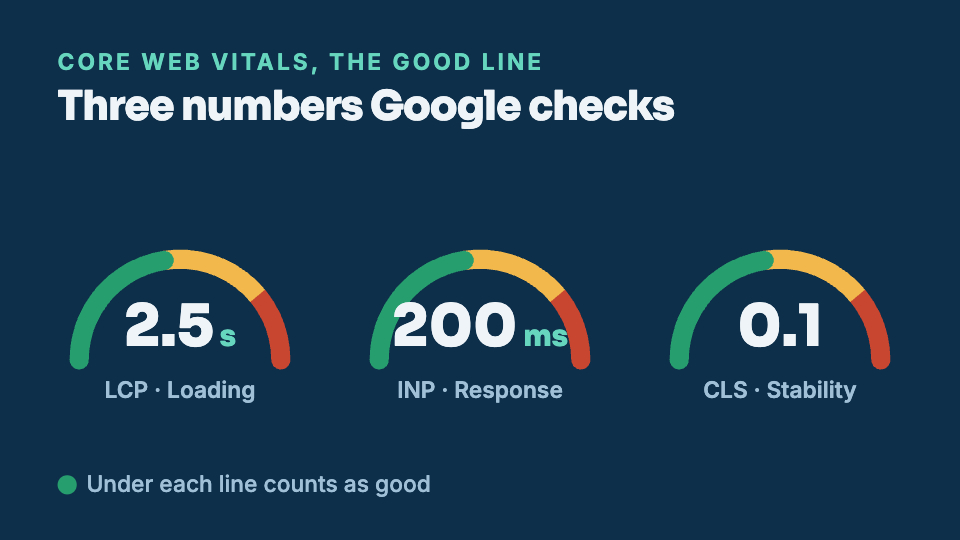
Is your website too slow? Core Web Vitals without the jargon
Google measures how your site feels to a real person on a real phone, and it uses that measurement when it decides who to show. You do not need to be technical to understand what it is grading or why it matters.
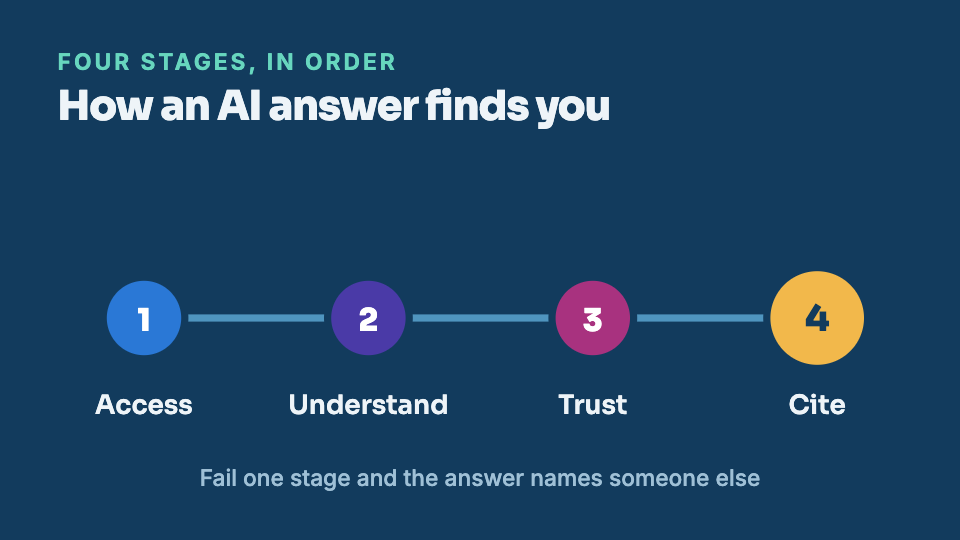
How Australian businesses get found in AI search
Search is splitting in two. Google still lists links, and a growing share of customers now get a single spoken answer from ChatGPT, Gemini or Perplexity instead. Here is what decides whether that answer names you.