- Topic
- AI search
- Reading time
- 8 min
- Written by
- Dima SmetaninCo-founder, SEENMETRIC
- Published
- 16 September 2026
GuidesAI search
How do I check if ChatGPT recommends my business?
You do not need any tools or logins to find out what AI assistants say about your business. You need twenty minutes, the right questions, and a way to score the answers so one lucky result does not mislead you. Here is the whole method, step by step.
On this page
The worst way to find out what ChatGPT says about your business is from a customer who mentions it in passing. The second worst way is to ask it once, get a flattering answer, and relax. Checking properly is not hard, and it needs no tools, no logins and no budget. It needs the right questions, more than one assistant, and a scrap of paper to keep score on. Here is the method.
The short version
- Test the questions customers actually ask. Write five to eight questions in a stranger's words, because typing your own business name only tests whether the assistant has heard of you.
- Ask three assistants. ChatGPT, Claude and Perplexity build their answers from different sources, so ask each the same questions in a fresh chat each time.
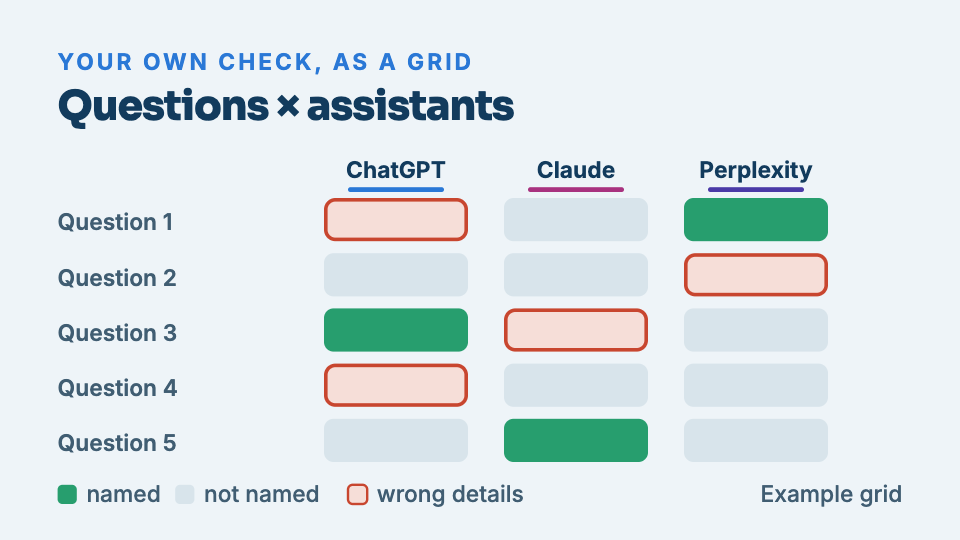
- Keep score in a simple grid. For each question and assistant, note whether you were named, who was named instead, and whether what was said about you is accurate.
- Repeat it a few days later. Answers vary between runs, and appearing in one run out of three means you are on the edge of the answer.
- The test cannot show why you are missing. Assistants may be unable to enter your site, see blank pages, find mismatched details or find no mentions of you, and each cause has a different fix.
Want to know where your business stands? Our Standard Audit reads up to 40 pages of your site, checks up to 300 Google searches you already show up for, sets you against up to three local competitors, and shows what ChatGPT says when customers ask up to 5 questions. A$149 one-off, delivered in two business days, no access to your site needed.
Get my Standard AuditStep 1: Write down the questions customers actually ask
The mistake almost everyone makes first: they type their own business name. That only tests whether the assistant has heard of you, and a customer who already knows your name was never the problem. The customers you are losing ask about the need, so that is what you test.
Write five to eight questions in the words a stranger would use. For a physio in Fremantle, that list might look like:
- “Recommend a physio in Fremantle”
- “Best physio near Fremantle for a running injury”
- “Who should I see about back pain in Fremantle?”
- “Affordable physiotherapist south of Perth”
- “Physio open Saturday Fremantle”
Vary the wording on purpose. “Best”, “cheap”, “near me”, the suburb, the wider area, a specific job. Different phrasings pull different answers, and the spread is part of what you are measuring. If you are stuck, read your Google reviews: customers describe the job in their own words there.
Step 2: Ask three assistants, not one
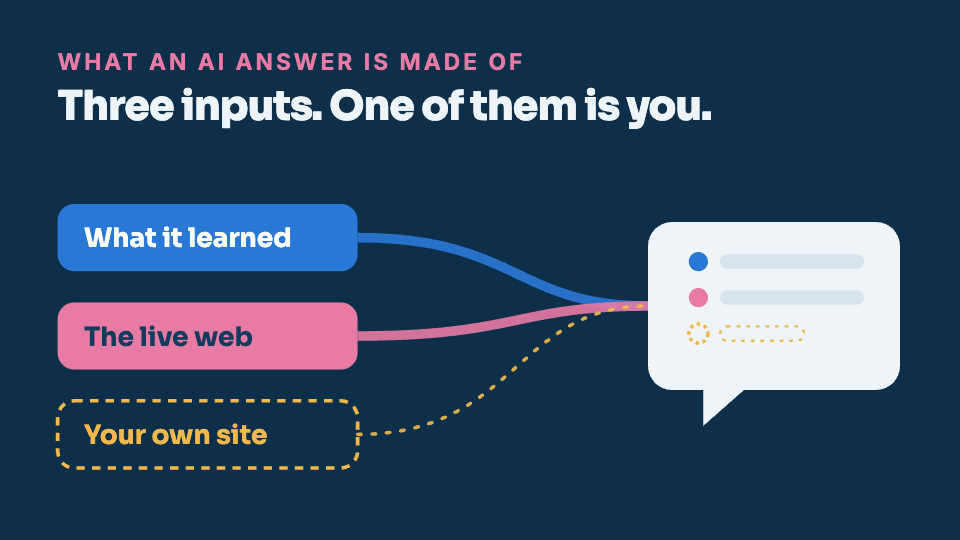
ChatGPT, Claude and Perplexity build their answers from different sources and will not agree. Being named by one and invisible to another is completely normal, and knowing which is which tells you where the work is. Ask each assistant the same questions, one at a time, in a fresh chat each time so an earlier answer cannot colour a later one.
If the assistant offers to search the web while answering, let it. Live answers show what the current web says about you; answers from memory show what the older web said. Both matter, and if you want the mechanics of that difference, our guide on why ChatGPT recommends your competitor lays it out.
Step 3: Score the answers, do not just read them
Make a simple grid: one row per question, one column per assistant. In each cell, record three things.
- Named or not. Did your business appear at all?
- Who was named instead. Write the actual competitor names down. The ones that recur across questions and assistants are the ones to study.
- What was said about you. If you do appear, is the description accurate? Assistants sometimes carry an old address, a service you dropped, or hours that are years out of date. A wrong mention can cost you a customer as surely as no mention.
Step 4: Repeat it a few days later
Assistants vary their answers between runs, and their sources shift over weeks. Run the same grid again after a few days before you conclude anything. Appearing in one run out of three is a real finding: it means you are on the edge of the answer, close enough that fixing the right barrier could make you a regular.
How to read your results
- Named consistently, described accurately. You are in good shape today. Recheck quarterly, because this shifts.
- Named sometimes, or by one assistant only. The assistants can see you but do not trust you enough to name you every time. Usually this points at thin or inconsistent facts about you across the web.
- Named with wrong details. Find where the wrong fact lives (an old directory entry, a stale Google listing, your own site) and correct it at the source.
- Never named, same competitors every time. The most common result, and the reason this site exists. Something is keeping the assistants from reading or trusting your business, and the recurring competitors show what winning looks like in your area.
What this test cannot see
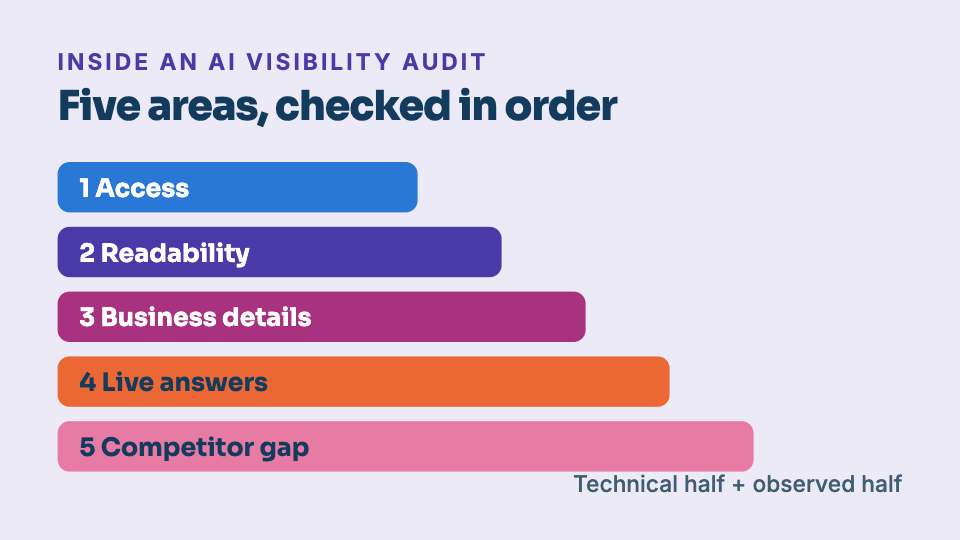
Your grid shows the outcome. It cannot show the cause. From the outside you cannot tell whether assistants skip you because they cannot enter your site, because your pages read as blank to machines, because the business details on your website disagree with your Google listing, or because nobody else on the web mentions you. Each cause has a different fix, and guessing wrong wastes months. That diagnostic half is what an audit is for; we describe the whole of it in what is an AI visibility audit.
A fast first step: our Foundation Audit reads your homepage the way AI tools do and flags the access and readability barriers in minutes, from nothing but your URL. And if you want to see a finished answer before you run your own grid, the industry pages each quote a real one, bought and dated, for 21 Australian trades.
Keep reading
What is an AI visibility audit?
A regular SEO audit asks whether Google can rank you. An AI visibility audit asks a newer question: when a customer asks ChatGPT or Perplexity for a recommendation, are you in the answer? Here is exactly what one checks, and what it can and cannot promise.
Why ChatGPT recommends your competitor, not you
Ask an AI assistant to recommend a plumber, a cafe or an accountant in your area, and it will name a handful of businesses. If yours is not one of them, that is not bad luck. Here is what the answer is actually built from.